














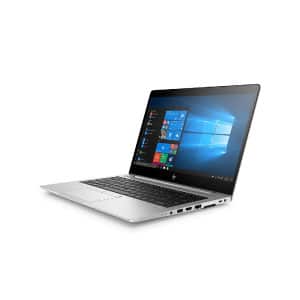
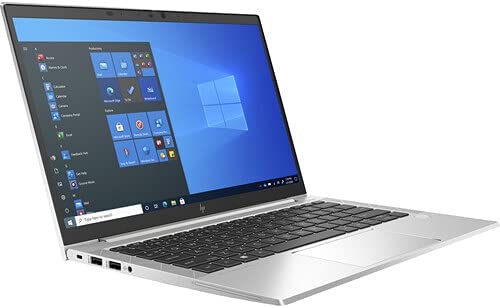

HP Touch Screen Laptop Price in Kenya
An HP touchscreen laptop can be a useful choice when you want normal keyboard productivity together with direct touch control. Students can annotate notes, business users can present work more naturally, and creative users can sketch or mark documents on compatible models. When comparing an HP touch screen laptop, confirm the exact screen type, hinge design, processor, memory, storage and physical condition instead of assuming every HP model has the same features.
This guide explains how to choose a touchscreen HP laptop in Kenya without mixing it with unrelated Dell models. Browse the latest laptops available in Kenya to see current options, then open the individual listing to confirm whether it is touch, non-touch or a convertible x360 model.
Why Choose an HP Touchscreen Laptop?
A touchscreen provides an additional way to interact with Windows. You can tap controls, scroll pages, zoom photos and use compatible drawing or note-taking applications. The keyboard and touchpad remain available, so you can choose the most comfortable control method for each task.
An HP touch screen laptop is especially helpful for people who review visual work, demonstrate products, make presentations or read long documents. Touch does not automatically make a laptop faster, however. Performance still depends on the processor, RAM, SSD and software, while the quality of touch input depends on the display and model design.
Touchscreen Versus x360 Convertible
A standard touchscreen laptop has a touch-enabled display but usually opens like a conventional notebook. An x360 or 2-in-1 model has a hinge that can rotate farther, allowing laptop, tent, stand and tablet-style positions. Buyers should check the exact product description because “touchscreen” and “convertible” are not identical.
A standard touch model can be suitable for office work where occasional tapping is useful. A convertible design is better when you need presentations, tablet-style reading or handwritten input with a compatible pen. If those modes are not important, a non-touch laptop may offer better value or battery endurance for the same budget.
Popular HP Touchscreen Families
HP EliteBook x360
EliteBook x360 models are designed for business use and often combine a compact body with convertible flexibility. Depending on the generation, features can include security tools, a sturdy keyboard and business-friendly ports. Refurbished EliteBooks are popular because they can provide professional construction at a lower cost than a new premium convertible.
HP ProBook touch models
Selected ProBook configurations include touch displays. ProBooks generally focus on practical office and school work. Do not assume that every unit with the same model family has touch support, because screen configurations can vary.
HP Pavilion x360
Pavilion x360 laptops are consumer-focused convertibles suited to learning, entertainment and general home use. Their design and specifications vary by generation, so compare the complete processor model, RAM, storage and display resolution.
HP Spectre and Envy x360
Spectre x360 and Envy x360 models are positioned as more premium options. They may offer lighter construction, higher-quality screens and improved finishing. These advantages can increase the selling price, so they make most sense when portability, design and display quality are priorities.
What Determines HP Touch Screen Laptop Prices?
Processor generation
The processor affects speed, efficiency and software compatibility. A newer Intel Core i5 can be a better everyday performer than a much older Core i7. AMD Ryzen options can also provide strong performance. Compare the complete processor name and generation, not only the i5, i7 or Ryzen label.
RAM capacity
Memory affects multitasking. Eight gigabytes is a practical starting point for many students and office users. Sixteen gigabytes gives more room for heavy browser use, development tools, large spreadsheets and creative applications. Check whether the RAM is upgradeable on the exact model.
SSD storage
An SSD allows Windows and applications to start more quickly than a traditional hard drive. A 256GB SSD suits documents and ordinary applications, while 512GB or more is useful for large photos, videos and project files. External and cloud storage can supplement internal capacity.
Display and hinge
Resolution, brightness, colour quality, touch accuracy and hinge construction all affect the experience. A convertible hinge normally adds complexity and value compared with a conventional notebook. Pen support is model-specific; a touchscreen does not guarantee that every active stylus will work.
Condition and battery
Brand-new, Ex-UK and refurbished units should not be compared as if they are identical. Used laptops can show cosmetic wear, and battery performance varies with age and previous usage. A carefully inspected refurbished HP touch screen laptop can still offer strong value when its specifications, condition and support terms are clear.
Recommended Specifications by Use
School and college work
For assignments, online classes, research and presentations, prioritize an SSD, a clear screen and a comfortable keyboard. Eight gigabytes of RAM is preferable for smooth browser and Office use. A compact 13- or 14-inch model is easier to carry between classes.
Office and business work
Business users should consider video meetings, spreadsheets, browser systems and external monitors. A Core i5 or comparable Ryzen processor, 8GB to 16GB RAM and an SSD can cover common workloads. Confirm HDMI, USB-C or DisplayPort compatibility if you connect displays or a docking station.
Design and creative work
Creative applications can require more memory, stronger processors and accurate displays. Touch input helps with navigation and rough sketching, but professional drawing also depends on pressure-sensitive pen support. Confirm compatibility before purchasing a stylus.
Programming and technical courses
Students using development environments, virtual machines or data tools should aim for a modern multi-core processor, 16GB RAM where possible and sufficient SSD storage. Touch is optional for programming; performance, keyboard comfort and display space usually matter more.
How to Check a Touchscreen Laptop Before Buying
Whether the unit is new or refurbished, inspect the functions that are expensive or inconvenient to repair. A brief check can prevent the wrong model or a damaged display from becoming a costly mistake.
- Confirm that Windows detects the screen as touch-enabled.
- Test tapping, scrolling and zooming across different parts of the display.
- Look for dead pixels, bright spots, cracks or pressure marks.
- On x360 models, move the hinge carefully through its supported positions.
- Check the keyboard, touchpad, webcam, speakers and charging port.
- Confirm the processor, RAM and SSD shown in Windows match the listing.
- Ask about battery condition, charger and warranty terms.
These checks are more useful than relying only on the title “HP touch screen laptop,” because two units with similar names can have different internal hardware and physical condition.
Touchscreen Laptop Advantages
Touch can make navigation feel natural, especially for users already comfortable with smartphones and tablets. It helps during presentations, allows quick scrolling and zooming, and can make visual applications easier to explore. Convertible models also provide useful viewing positions for lessons, meetings and video.
The feature can improve accessibility for people who find a touchpad difficult to use. For point-of-sale demonstrations, reception desks and field presentations, direct touch can also reduce the need for a mouse.
Possible Disadvantages
A touchscreen can add cost, weight and power usage compared with an otherwise similar non-touch model. Glossy displays may reflect light, and the screen needs regular cleaning because fingerprints are more visible. Convertible hinges should be handled carefully, especially on previously used laptops.
Touch is not necessary for every buyer. If you mainly type documents, code or use a laptop at a fixed desk, a non-touch model with stronger performance may be the better use of your budget. Choose an HP touch screen laptop because the feature supports your workflow, not simply because it sounds premium.
Refurbished HP Touchscreen Laptops
Refurbished business laptops can offer good value for students and professionals. Many EliteBook models were built for regular office use, with sturdy keyboards and practical serviceability. Condition varies, so the seller’s inspection and description are important.
Read our guide to refurbished laptops in Kenya for help checking condition, specifications and buyer value. A lower price is useful only when the laptop meets your workload and the important functions operate correctly.
Buying on a Limited Budget
If the budget is tight, decide whether touch is essential. A non-touch laptop with a faster processor, more RAM or an SSD may be more useful than an older touch model with weak performance. Compare current laptops under KSh 15,000 and other budget ranges before deciding.
For an affordable HP touch screen laptop, prioritize working touch input, a good hinge, SSD storage and enough memory. Cosmetic marks can be less important than a damaged screen, unreliable charging or a weak hinge.
Frequently Asked Questions
How do I know whether an HP laptop has a touchscreen?
Check the exact product title and specifications, then confirm in Windows under the system information or pen-and-touch settings. Similar HP model names may be sold with touch and non-touch screens.
Is an HP x360 always a touchscreen?
x360 models are designed as convertible touch devices, but buyers should still verify the exact unit’s screen and hinge condition before purchasing.
Can I use any stylus on an HP touchscreen?
No. Basic capacitive styluses may work for simple tapping, while pressure-sensitive active pens require specific hardware compatibility. Confirm the model and supported pen technology.
Is 8GB RAM enough?
Eight gigabytes is suitable for many everyday student and office tasks. Sixteen gigabytes is preferable for heavier multitasking, programming, design applications and larger project files.
Are refurbished touchscreen laptops reliable?
They can be reliable when properly inspected and accurately described. Pay particular attention to touch response, screen condition, hinge movement, battery behaviour, charger and warranty terms.
Buy an HP Touch Screen Laptop in Kenya
The right touchscreen laptop should provide enough performance for your applications, a responsive display and a hinge design that matches how you work. Compare the full processor, RAM, SSD, screen and condition rather than selecting only by appearance.
Explore the current laptop selection at Mubaraktech and open each listing to confirm touch support. You can also visit the store information through our laptop buying guide. Confirm availability before ordering or travelling so you can choose an HP touch screen laptop that matches your work and budget.